# How to AirMirror from Macbook

## How to AirMirror from Macbook 

<iframe allowfullscreen="allowfullscreen" height="314" src="//www.youtube.com/embed/do86Ou-7Ljg" width="560"></iframe>

1. Click on the **upside-down Triangle** to expand Apps menus  
    [![image-1680194003950.png](https://techhelp.slusd.us/uploads/images/gallery/2023-03/scaled-1680-/nbQgwMYzcGzuw2Rj-image-1680194003950.png)](https://techhelp.slusd.us/uploads/images/gallery/2023-03/nbQgwMYzcGzuw2Rj-image-1680194003950.png)
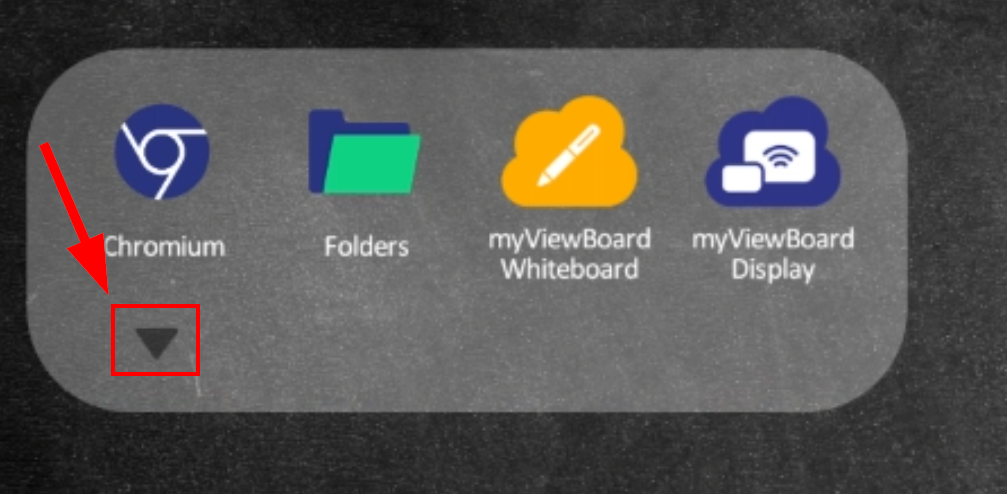
2. Scroll Down to **vCastReceiver** and tap to open  
    [![image-1680194096117.png](https://techhelp.slusd.us/uploads/images/gallery/2023-03/scaled-1680-/oxC0zcqqKxt4an60-image-1680194096117.png)](https://techhelp.slusd.us/uploads/images/gallery/2023-03/oxC0zcqqKxt4an60-image-1680194096117.png)

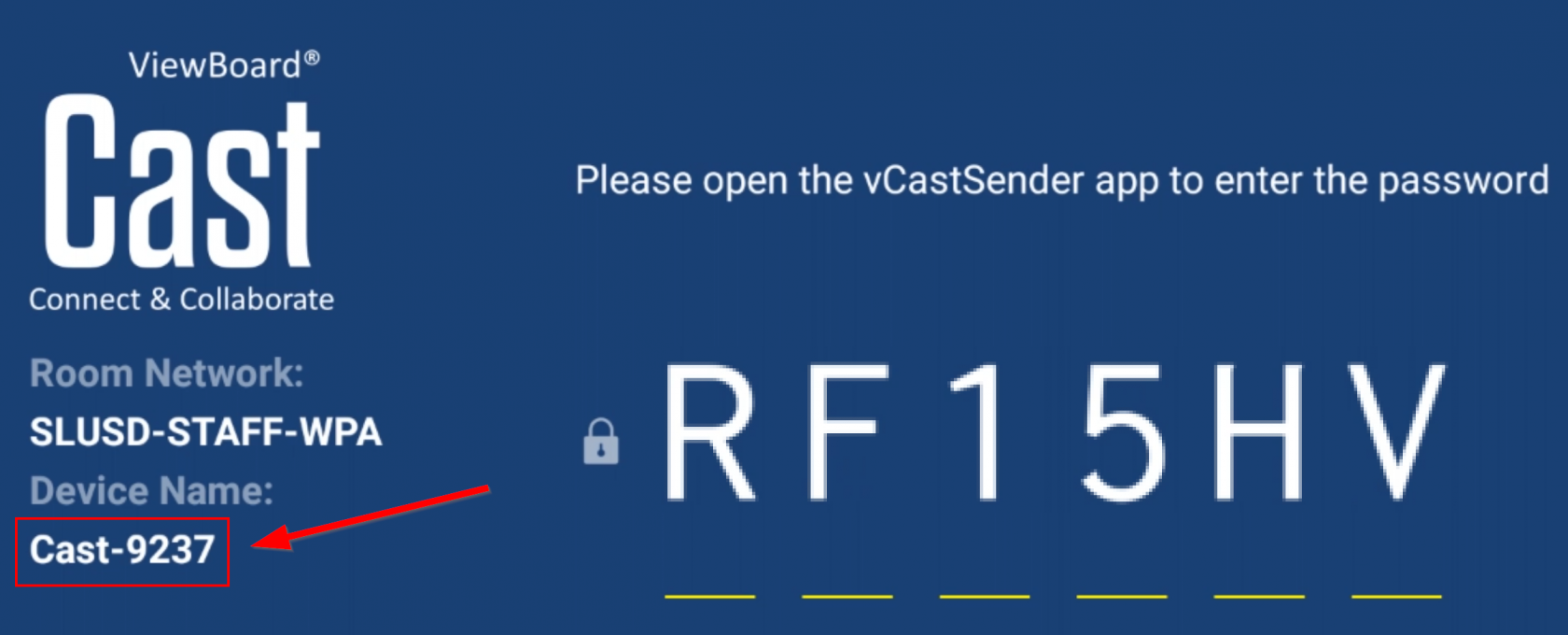
3. Note the **Device Name**  
    [![image-1680194176600.png](https://techhelp.slusd.us/uploads/images/gallery/2023-03/scaled-1680-/pARC9EanU48fK3WL-image-1680194176600.png)](https://techhelp.slusd.us/uploads/images/gallery/2023-03/pARC9EanU48fK3WL-image-1680194176600.png)
4. On your Mac (**<span style="color: #e03e2d;">make sure it is on SLUSD-STAFF or SLUSD-STAFF-WPA Network</span>**)
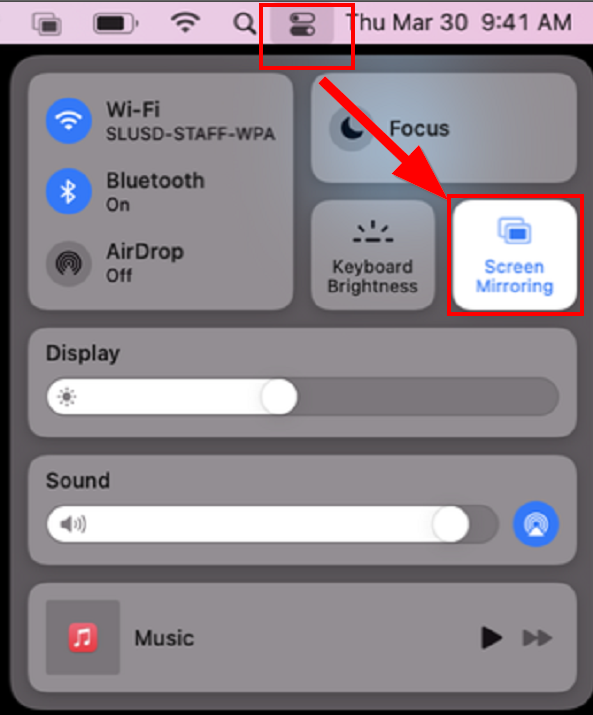
5. Click **Control Center** ![](https://help.apple.com/assets/63BCA927AAE78C58DD7FBE35/63BCA92EAAE78C58DD7FBE76/en_US/3045264ba38d067fcdf39c07a1129c88.png) in the menu bar, click the **Screen Mirroring** icon <span class="NoBreak"><span class="NoBreak">![](https://help.apple.com/assets/63BCA927AAE78C58DD7FBE35/63BCA92EAAE78C58DD7FBE76/en_US/17c5c2f24244dc274db225acfdd11816.png),  
    </span></span>[![image-1680194542865.png](https://techhelp.slusd.us/uploads/images/gallery/2023-03/scaled-1680-/oPJEPuPE4TkaOFox-image-1680194542865.png)](https://techhelp.slusd.us/uploads/images/gallery/2023-03/oPJEPuPE4TkaOFox-image-1680194542865.png)
6. Select the **device name** noted in step 3, enter **AirPlay Password** that is displayed on the Viewsonic board